The Apple Vision Pro Apps Ecosystem: How Spatial Computing Is Transforming Remote Work
Estimated read time: 8 minutes
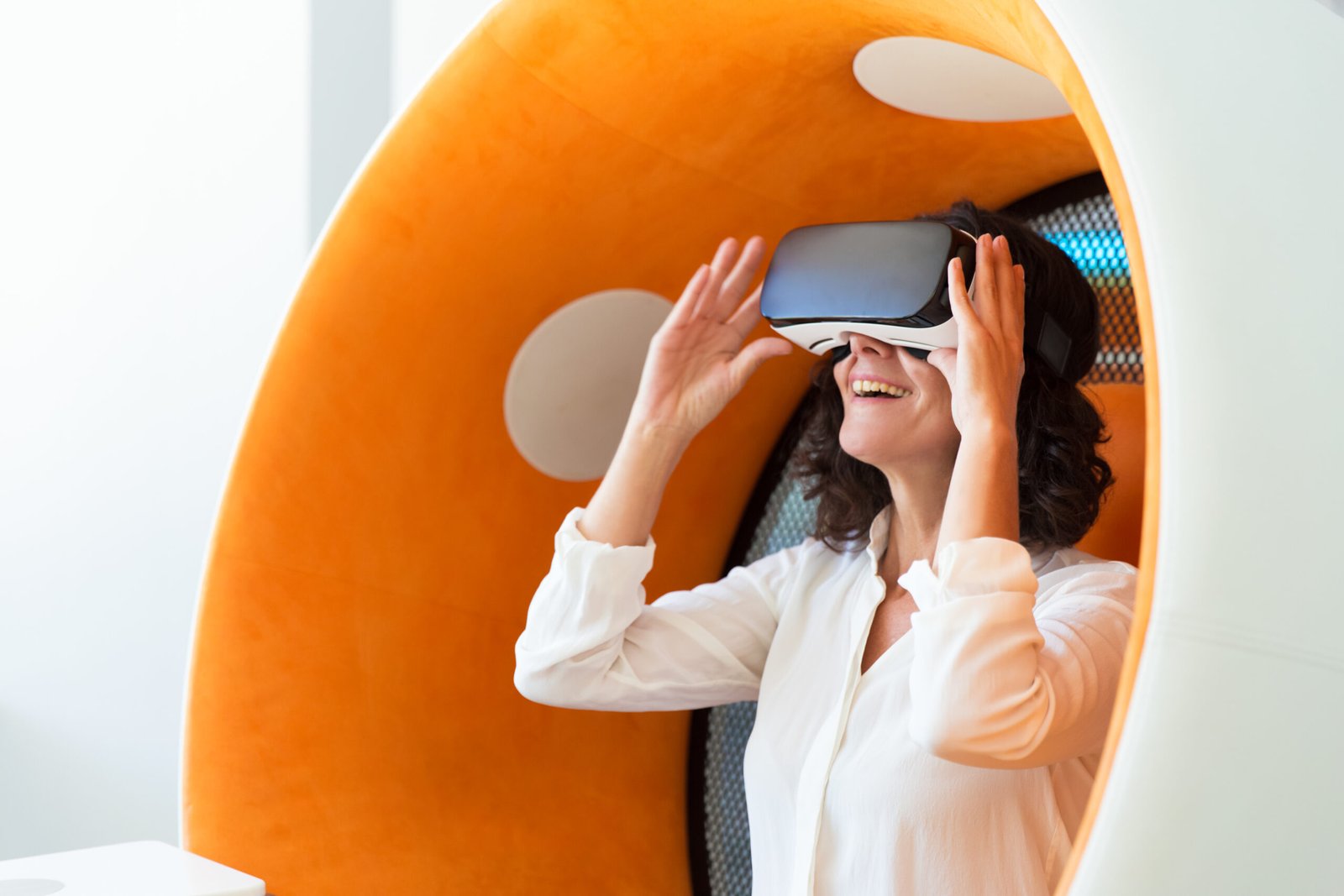
The moment you slip on an Apple Vision Pro, something shifts. Your living room dissolves, replaced by an infinite canvas where spreadsheets float beside video calls, 3D models rotate in mid-air, and your workspace extends as far as your eyes can see. Welcome to spatial computing—the next evolution in how we work, create, and collaborate.
Since its launch, the Apple Vision Pro has sparked growing interest in immersive productivity apps. Developers are reimagining what work can look like when freed from the confines of physical screens. For remote workers and tech early adopters, this represents an emerging glimpse into how spatial computing might transform work.
Note: While specific apps mentioned are illustrative examples of spatial computing concepts, the Vision Pro ecosystem is rapidly evolving with both existing and upcoming productivity applications.
The Productivity Revolution in Spatial Computing: Remote Work
Traditional remote work has us tethered to laptops and external monitors, hunched over keyboards for hours. Spatial computing shatters these limitations. With the Vision Pro, your workspace becomes as boundless as your imagination—and your apps are leading the charge.
Multi-App Environments: Your Infinite Desk
Imagine conducting research with five browser windows suspended around you, each sized perfectly for its content. Your notes app sits at eye level while a Slack conversation floats within peripheral vision. This isn’t science fiction—this is the reality apps like Spatial Workstation and Infinite Canvas are delivering today.
These multi-window environments let remote workers arrange their digital tools in three-dimensional space. Instead of alt-tabbing through a cluttered desktop, you simply turn your head. Need to reference a document while on a video call? Position it above your colleague’s video feed. The cognitive load of context-switching drops dramatically when your workspace mimics how your brain actually works—spatially.
Immersive Focus Modes
Distraction is the enemy of deep work. Vision Pro apps like Focus Flow and Deep Space leverage the headset’s ability to create entirely virtual environments. Replace your noisy coffee shop or chaotic home office with a serene mountain vista or a minimalist void. The passthrough capabilities mean you can still see your keyboard, but everything else fades into a productivity-optimized backdrop.
Early adopters suggest that immersive environments may help extend focus sessions by reducing visual distractions. The psychological boundary created by putting on the headset signals to your brain: “It’s time to work.” When you remove it, work stays in the headset—potentially helping with that elusive work-life separation that remote workers seek.
Real-World Use Cases That Are Changing the Game
The Creative Professional’s Dream
For designers, architects, and 3D artists, the Vision Pro has become an indispensable tool. Apps like Spatial Design Studio and Volume Render allow creatives to manipulate 3D models with their hands, walking around virtual sculptures, adjusting lighting by gesture, and presenting immersive mockups to clients.
Picture an interior designer walking a client through a not-yet-built space, pointing out material choices that appear to hang in the air. The client sees exactly what the finished room will look like—scale, lighting, textures—without a single physical sample. This immersive preview capability could significantly streamline the approval process for design firms exploring spatial workflows.
The Distributed Development Team
Software teams are discovering that spatial computing solves the “Zoom fatigue” problem. Code Spatial and DevSpace VR transform code reviews into collaborative experiences where multiple developers can stand around a virtual whiteboard, manipulating code blocks in 3D space.
Complex system architectures become tangible diagrams you can walk through. A senior developer can literally point to where a bug exists in the data flow, and junior team members can see the relationship between microservices visualized as floating nodes connected by light. The abstract becomes concrete, potentially making technical onboarding more intuitive for new team members.
The Remote Executive’s Command Center
For leaders managing distributed teams, Executive View and Command Center Pro aggregate dashboards, KPIs, and communication tools into a unified spatial command post. Instead of clicking through dozens of tabs, executives can survey their entire operation at a glance—sales metrics hovering to the left, team status boards to the right, and critical alerts positioned front and center.
The ability to maintain situational awareness across multiple data streams without losing context is transforming how decisions get made in remote-first organizations.
The App Landscape: What’s Available Now
The Vision Pro App Store has grown rapidly, with productivity categories leading adoption. Below are examples of app concepts and categories that illustrate the potential of spatial computing—some current apps and some representing the direction the ecosystem is heading:
Communication & Collaboration:
- FaceTime Spatial – Apple’s native spatial video calls with life-sized participants
- TeamSpace – Virtual meeting rooms with persistent whiteboards and 3D annotations
- Presence – Mixed-reality coworking spaces where you see virtual avatars of remote colleagues
Task & Project Management:
- Spatial Trello – Kanban boards you can walk around and manipulate with hand gestures
- 3D Mind Map – Brainstorming tools that turn ideas into explorable knowledge trees
- Project Horizon – Gantt charts and timelines rendered as immersive timelines you can step into
Content Creation:
- VisionWrite – Distraction-free writing environments with typewriter sounds in a virtual library
- Spatial Edit – Video editing with timelines floating in 3D space
- Mindful Presenter – Presentation tools that put you inside your slides
Development Tools:
- CodeSpace VR – IDE environments optimized for spatial multi-tasking
- GitWorld – Visual git history as explorable 3D landscapes
- Terminal Float – Always-available terminal windows that follow your gaze
The Productivity Benefits You Can Measure
Organizations piloting Vision Pro productivity workflows are reporting tangible results:
Reduced Meeting Fatigue: Spatial presence creates a sense of “being there” without the exhausting eye contact demands of video calls. Teams report feeling more energized after spatial meetings compared to traditional video conferences.
Faster Decision Making: The ability to visualize data in 3D and manipulate models collaboratively could streamline design review cycles for architecture and product teams working with spatial tools.
Improved Work-Life Boundaries: The physical act of putting on and removing the headset creates a clear transition between work and personal time—a psychological benefit that’s proving more valuable than expected.
Accessibility Wins: Workers with physical disabilities report that spatial computing removes barriers. Voice control, eye-tracking navigation, and gesture interfaces provide alternatives to traditional keyboard-and-mouse workflows.
The Reality Check: Current Limitations
As exciting as the Vision Pro productivity ecosystem is, honesty requires acknowledging where things stand today.
Hardware Constraints: The headset’s weight becomes noticeable during long work sessions. Battery life limits truly mobile use to 2-3 hours without a tethered power source. For deep work marathons, you’ll still need breaks—or a very comfortable chair.
Price Barrier: At $3,499, the Vision Pro remains a premium tool. While early adopters and enterprises are investing, mass adoption awaits more accessible price points. This is a professional tool for professionals, not a mass-market device—yet.
App Maturity: Many productivity apps are in their 1.0 or 2.0 iterations. Features you take for granted on desktop—advanced keyboard shortcuts, plugin ecosystems, deep integrations—are still evolving. The “it just works” Apple experience is present but not universal across third-party apps.
Social Isolation: While spatial coworking apps exist, the reality is that wearing a headset separates you from your physical environment. For parents working from home or people with pets, this can be a drawback compared to the peripheral awareness a laptop screen allows.
The Learning Curve: Spatial computing requires unlearning decades of 2D interface habits. Productivity gains come after a week or two of adaptation, which can frustrate users expecting immediate results.
The Road Ahead: What’s Coming
Apple’s commitment to spatial computing is clear, and the roadmap looks promising. Rumors suggest lighter hardware iterations, improved passthrough quality, and deeper integration with the Mac ecosystem. For productivity users, this means:
- Universal Control Spatial – Seamlessly dragging windows between your Mac and Vision Pro
- Enhanced Hand Tracking – More precise gesture controls for detailed creative work
- Enterprise Management Tools – Better deployment and security features for company-wide rollouts
- Improved Collaboration Standards – Cross-platform spatial meeting compatibility
Should You Dive In?
If you’re a remote worker seeking a productivity edge, a creative professional working with 3D content, or a tech early adopter curious about the future of work, the Vision Pro productivity ecosystem offers compelling value today. The apps are functional, the workflows are legitimate, and the experience is genuinely transformative for certain types of work.
However, if your work is primarily text-based and solitary, or if budget constraints are tight, waiting for the next hardware generation and continued app ecosystem maturation might be the wiser path.
Conclusion: The Workspace of Tomorrow, Available Today
TMastering remote work takes practice but delivers lasting results. he Apple Vision Pro isn’t just a new device—it’s the foundation for a new way of working. The productivity apps emerging in this ecosystem aren’t ports of existing tools; they’re reimaginations of what productivity means when screens no longer limit us.
Remote work was already changing how we think about offices and collaboration. Spatial computing accelerates that transformation, offering presence without proximity, focus without isolation, and tools that finally match the three-dimensional way human brains process information.
For those willing to invest the time and money, the Vision Pro productivity ecosystem delivers something rare in technology—a genuine paradigm shift that makes work feel less like work and more like creation.
The future of remote work isn’t about better video calls or faster internet. It’s about stepping into your workspace, rather than just sitting in front of it. And that future is here—floating in the air, waiting for you to reach out and grab it.
What’s your take on spatial computing for productivity? Have you tried the Vision Pro for work? Share your experiences in the comments below.
Related Articles:
- The Future of Remote Collaboration: Beyond Video Calls
- 10 Vision Pro Apps Every Creative Professional Should Try
- Building the Perfect Spatial Workspace: A Setup Guide
SEO Keywords: Apple Vision Pro, spatial computing, remote work productivity, immersive workspace, VR productivity apps, AR workplace, distributed teams, Vision Pro apps, spatial collaboration
Related Articles
Explore more insights from our blog:
- Local LLMs: A Beginner’s Guide to Privacy-First AI — Privacy-focused AI technology
- The Rise of AI Agents: How Autonomous AI Changes Work — AI transforming the workplace
- AI Video Generation: A Guide for Content Creators — Creative AI applications
- Digital Minimalism 2.0: Reclaim Attention From AI — Balance immersive tech with wellbeing
References & Further Reading
Authoritative sources for deeper exploration:
- Apple: Vision Pro Official Site — Official product information and specifications
- MIT Technology Review: Spatial Computing — Technical analysis of spatial computing technology
- IEEE: The Future of Extended Reality Work — Engineering perspective on VR/AR workplace applications